

What are agent skills?
Agent skills are reusable instruction files that teach AI agents how to use a specific tool or API. When you install the DexPaprika skill, your AI agent gets a complete reference of every endpoint, CLI command, streaming parameter, and common workflow, so it can make correct API calls without guessing.Skills work with Claude Code, Cursor, Cline, OpenCode, and many other AI agents. One install command, and no API key needed to start.
What’s included
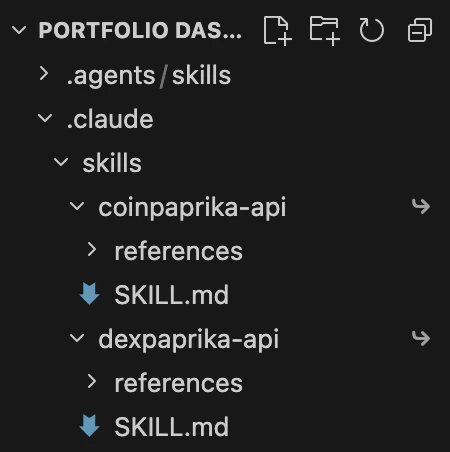
The DexPaprika skill installs the following files into your project:
Your AI agent reads
SKILL.md automatically. The reference files are loaded on demand when the agent needs deeper detail (like exact response schemas or CLI flag options).
Install
One command
.claude/skills/dexpaprika-api/ in your current project.
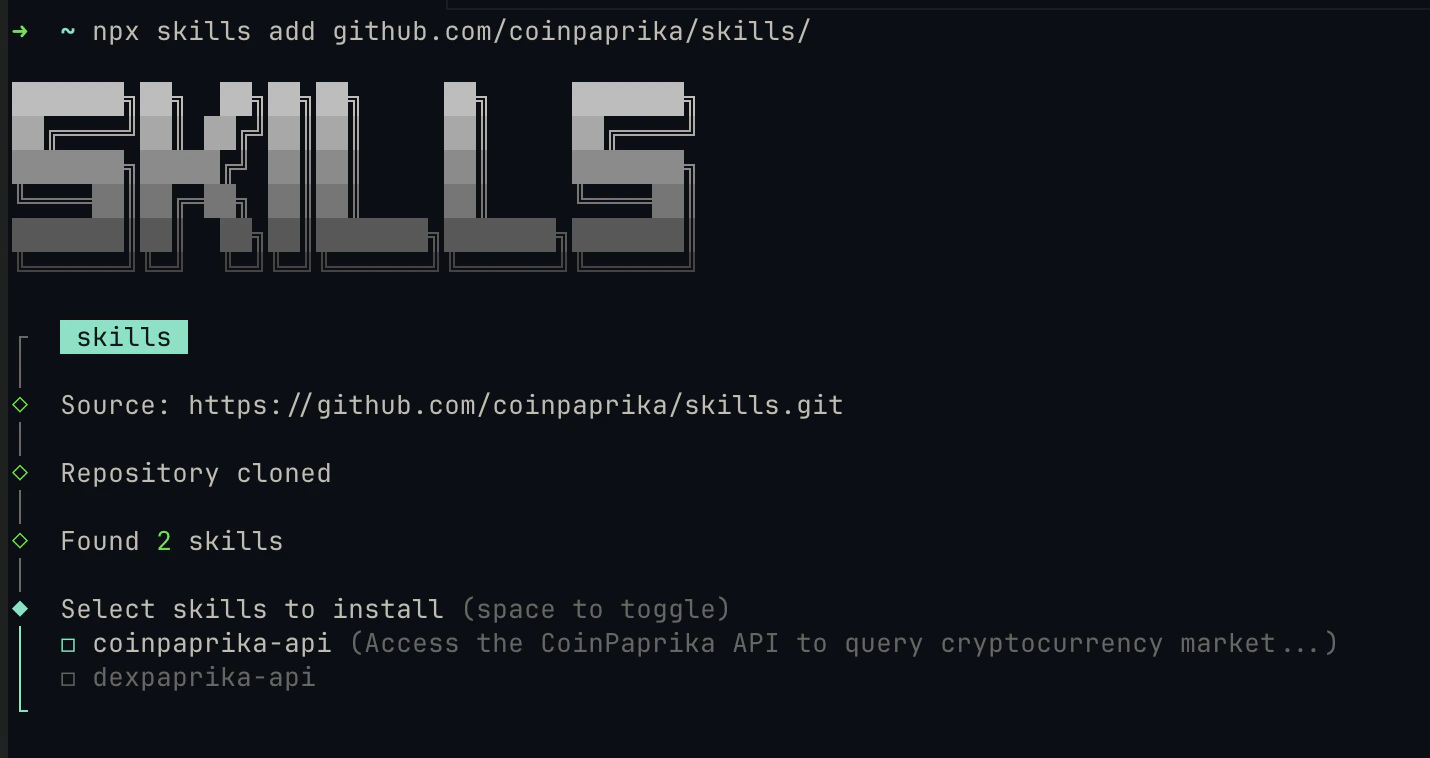
What happens
- The
skillsCLI (by Vercel Labs) fetches the skill from GitHub - Files are copied to
.claude/skills/dexpaprika-api/ - On next startup, your AI agent auto-discovers and loads the skill
Restart your agent
After installing, restart Claude Code (or your AI tool) so it picks up the new skill files.Verify it works
After restarting, ask your AI agent a DexPaprika question:https://api.dexpaprika.com/networks/ethereum/tokens/0xc02aaa39b223fe8d0a0e5c4f27ead9083c756cc2 and return the price.
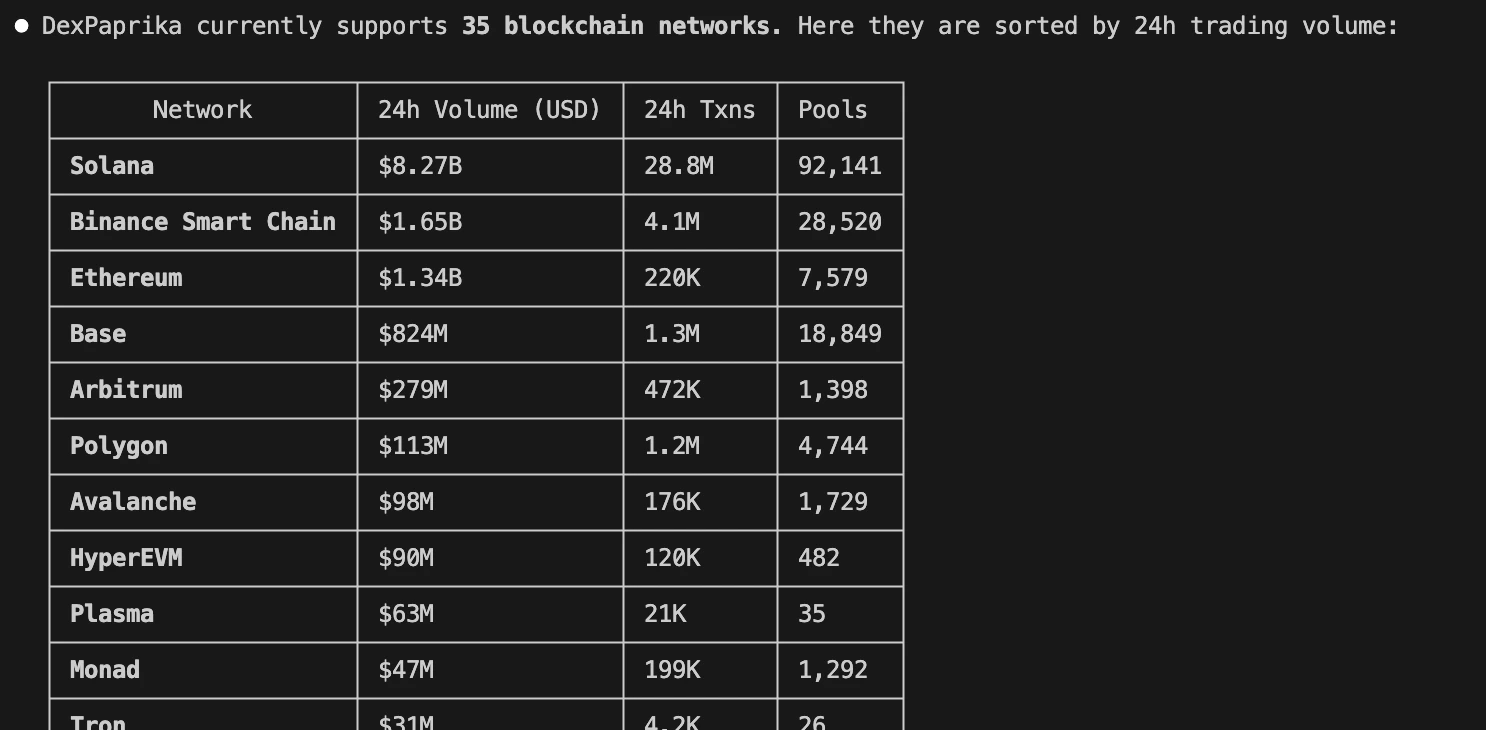
Example queries
Once the skill is loaded, your agent knows how to use the full DexPaprika stack. Here are some things you can ask:REST API queries
CLI commands
The skill teaches your agent to usedexpaprika-cli if it’s installed:
Batch pricing
Streaming
Skills vs MCP server vs Claude Code plugin
You can combine approaches. Install the skill for API knowledge and connect the MCP server for tool-based access. They complement each other.
Manage skills
List installed skills
Remove the skill
Update to latest version
Troubleshooting
Skill not loading after install
Skill not loading after install
Restart your AI agent (Claude Code, Cursor, etc.). Skills are discovered at startup. If it still doesn’t load, check that the files are in the right location:You should see
SKILL.md and a references/ directory.npx skills command not found
npx skills command not found
The If Node.js is installed and it still fails, try running with a fresh npx cache:
skills CLI requires Node.js. Make sure you have Node.js 16+ installed:Agent not using DexPaprika for queries
Agent not using DexPaprika for queries
Be specific in your prompt. Instead of “What’s the price of ETH?”, try “Using the DexPaprika API, get the price of WETH on Ethereum.” The agent should recognize the skill context and use the correct endpoints.
Wrong directory structure
Wrong directory structure
Skills must be direct children of
.claude/skills/. If the files ended up nested differently (e.g., .claude/skills/skills/dexpaprika-api/), move the dexpaprika-api folder so it sits directly inside .claude/skills/. See the directory tree in the Install section for the expected layout.Next steps
CLI guide
Install dexpaprika-cli for direct terminal access to all endpoints
Hosted MCP Server
Add MCP server access to Claude Desktop, Cursor, or VS Code
Claude Code Plugin
Get the full plugin bundle with MCP tools, agents, and skills
REST API Reference
Complete endpoint documentation with interactive playground
Get support
Join Discord
Connect with our community and get real-time support.
Give Feedback
Share your experience and help us improve.
FAQs
Do I need an API key?
Do I need an API key?
Not to start. Keyless requests work at 10,000 credits per rolling 30 days per IP, and registering a free key raises that to 100,000. The skill teaches your agent to call the API directly either way.
What's the difference between skills and MCP?
What's the difference between skills and MCP?
Skills give your agent knowledge (API docs, CLI commands, common patterns). MCP gives your agent tools (callable functions that return live data). Skills make your agent smarter about the API; MCP does the calling for it.
Which AI agents support skills?
Which AI agents support skills?
Claude Code, Cursor, Cline, OpenCode, Aider, and many others. The
skills CLI auto-detects your agent, or you can target one explicitly with the --agent flag. See the full list of supported agents.Can I use skills and MCP together?
Can I use skills and MCP together?
Yes. Install the skill for deep API knowledge and connect the MCP server for tool-based access. They complement each other well.
Does installing the skill send data to DexPaprika?
Does installing the skill send data to DexPaprika?
No. The skill files are static reference documents stored locally in your project. Your agent reads them locally. API calls only happen when your agent decides to query the DexPaprika API based on what it learned from the skill.